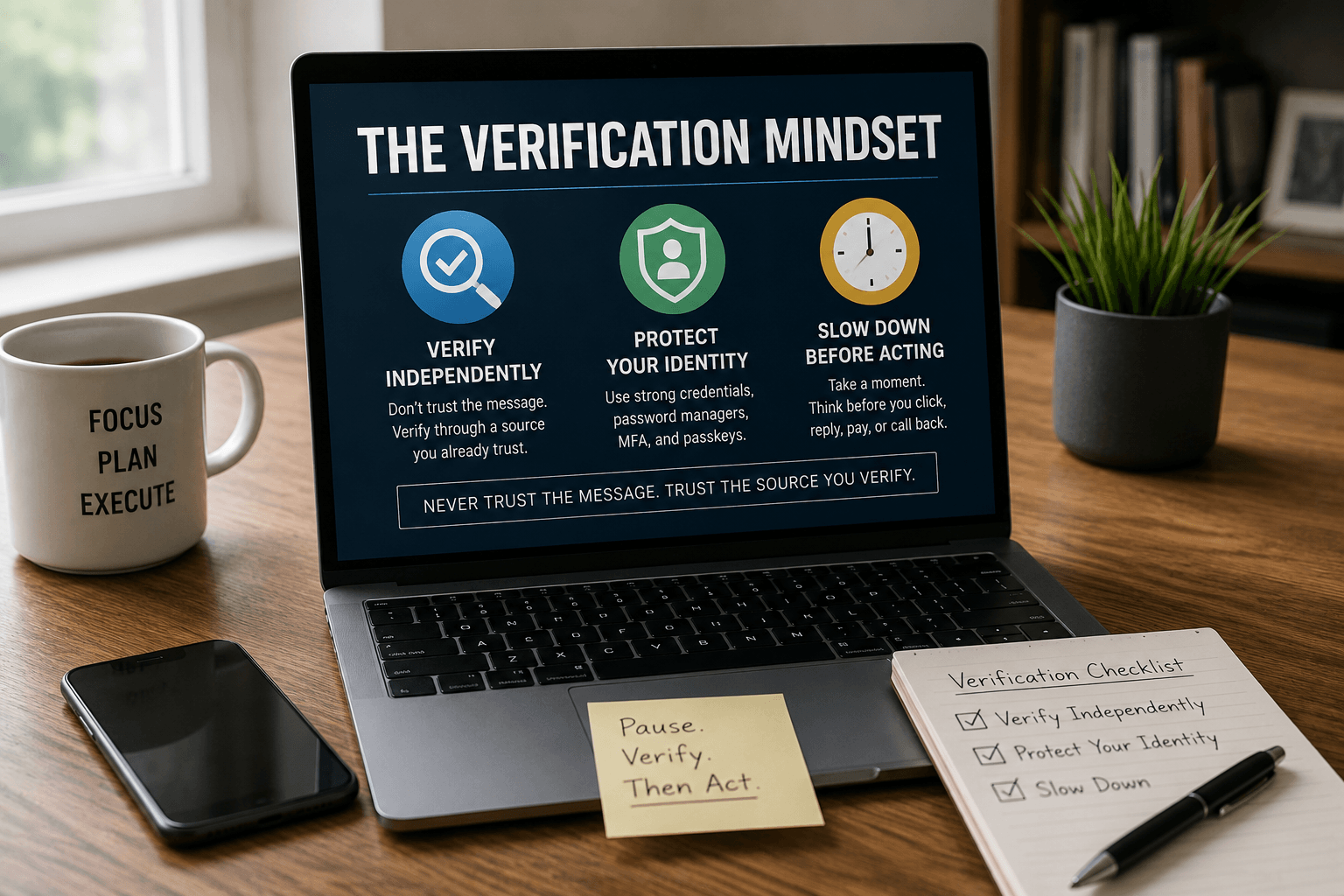
Technology changes. Scams change. Artificial intelligence changes. The way criminals attack us changes almost every day.
But one thing shouldn’t: the way we verify information.
Over the years, I’ve developed a simple framework that has protected me from phishing attacks, caller ID spoofing, fake invoices, social engineering, and countless online scams. I call it The Verification Mindset.
It isn’t about learning how to recognize every scam. That’s impossible. Instead, it’s about building habits that make scams ineffective before they ever have a chance to fool you.
A Phone Call That Looked Completely Real
Not long ago, a friend told me about a phone call he almost fell for. Everything looked legitimate. The caller ID showed his local police department. The caller knew his name. They sounded calm, professional, and convincing. He was told he had missed federal court, there was a warrant for his arrest, and he needed to resolve it immediately.
It wasn’t until they asked for money that he realized he was being scammed.
Here’s the uncomfortable truth. Nothing about that call was obviously fake. The number was spoofed. The details were researched. The script was rehearsed. If your defense is simply “I’ll know a scam when I see one,” eventually you’ll meet one designed specifically to fool you.
Twenty years ago, scammers needed you to believe an email. Today they can make you believe you’re talking to your spouse, your bank, your employer, or even your local police department. AI hasn’t changed the rule. It’s made the rule more important than ever.
The Verification Mindset
Everything changes. Technology changes. Scams change. Attackers change. Your mindset shouldn’t.
Every decision involving trust runs through three simple questions.
Before You Click, Reply, Pay, or Call Back…
- Have I verified this independently?
- Am I protecting my identity?
- Am I reacting, or am I thinking?
Those three questions form The Verification Mindset.
Attackers control the communication. They control the email. They control the text. They control the phone call. They control the QR code. They control the fake invoice. But they don’t control how you verify it. That’s your advantage. The moment you choose your own verification process, you’ve broken their system.
Pillar One: Independent Verification
Treat every communication as a notification, not an instruction. Every email, every text, every voicemail, every phone call, every QR code, every push notification, every social media message, every physical letter, every invoice, every unexpected knock at your door. They’re simply telling you that something may require your attention. Nothing more.
Your goal isn’t to determine whether the communication is real. Your goal is to verify it using a source you already trust. That’s the difference. You stop judging the message. You start controlling the verification process.
Examples
Email from your bank? Don’t click the link. Open your browser and type the bank’s website yourself, or open the official mobile app.
Package delivery text? Don’t tap the tracking link. Visit UPS, FedEx, USPS, DHL, or Amazon directly.
Phone call from your bank, the IRS, the police, Social Security, or the DMV? Hang up. Call the official number listed on their website or printed on your card. It’s always okay to hang up. Legitimate organizations won’t punish you for verifying who they are.
Microsoft 365 mailbox almost full? Don’t click the “Increase Quota” button. Sign in directly to Microsoft 365 and check your storage there.
Domain renewal notice in the mail? I’ve worked in web hosting for more than two decades, and I’ve seen countless businesses receive official-looking domain renewal notices that were really advertisements. Some convince people to transfer their domains without realizing it. Don’t pay the invoice. Log into the registrar you actually use and check your expiration date there.
QR code? A QR code is simply a clickable link. Treat it exactly the same way.
Someone knocks on your door claiming they’re from your electric company? Close the door. Call the company using the phone number printed on your actual bill.
The communication method doesn’t matter. The verification process does.
Never trust the message. Trust the source you verify.
Pillar Two: Protect Your Identity
Even if you accidentally land on a fake website, strong authentication can stop that mistake from becoming a compromised account. That’s why I recommend everyone use a password manager.
Personally, I use both 1Password and Bitwarden. If you’re just getting started, Bitwarden’s free plan is excellent. If your budget allows, I highly recommend Bitwarden Premium. At about $20 per year, it adds valuable features like:
- Built-in TOTP authentication codes
- Emergency access
- Password health reports
- Encrypted file attachments
Whichever password manager you choose, install the browser extension. This is one of the biggest reasons I recommend password managers. When you visit the real website, your password manager recognizes the domain and offers to autofill your credentials. If you’re on a fake website, it usually won’t autofill because the domain doesn’t match. That missing autofill prompt may be the first warning that you’re on the wrong website.
Also remember:
- Use unique passwords everywhere.
- Make passwords at least 20 characters long whenever possible, since NIST now prioritizes length over complexity.
- Enable multi-factor authentication.
- Use passkeys whenever they’re available.
Don’t overthink which password manager to buy. The best password manager is the one you’ll actually use every day.
Pillar Three: Slow Down
Every successful scam relies on one thing. Urgency. Scammers want you to react before you think.
The moment you slow down, open your own browser, visit the real website, sign in yourself, and call the official phone number, the scam usually falls apart. Verification rarely takes more than sixty seconds.
Final Thoughts
People often ask me how I recognize scams. The truth is, I don’t try. Instead, I verify everything.
Sometimes the message is legitimate. Sometimes it isn’t. My process never changes.
I open my own browser. I type the website myself. I log in using my password manager. I call the official phone number published by the organization. I verify first.
That’s The Verification Mindset.
The Verification Mindset
- ✔ Verify independently.
- ✔ Protect your identity.
- ✔ Slow down before acting.
Never trust the message. Trust the source you verify.